Framing Photos With Python
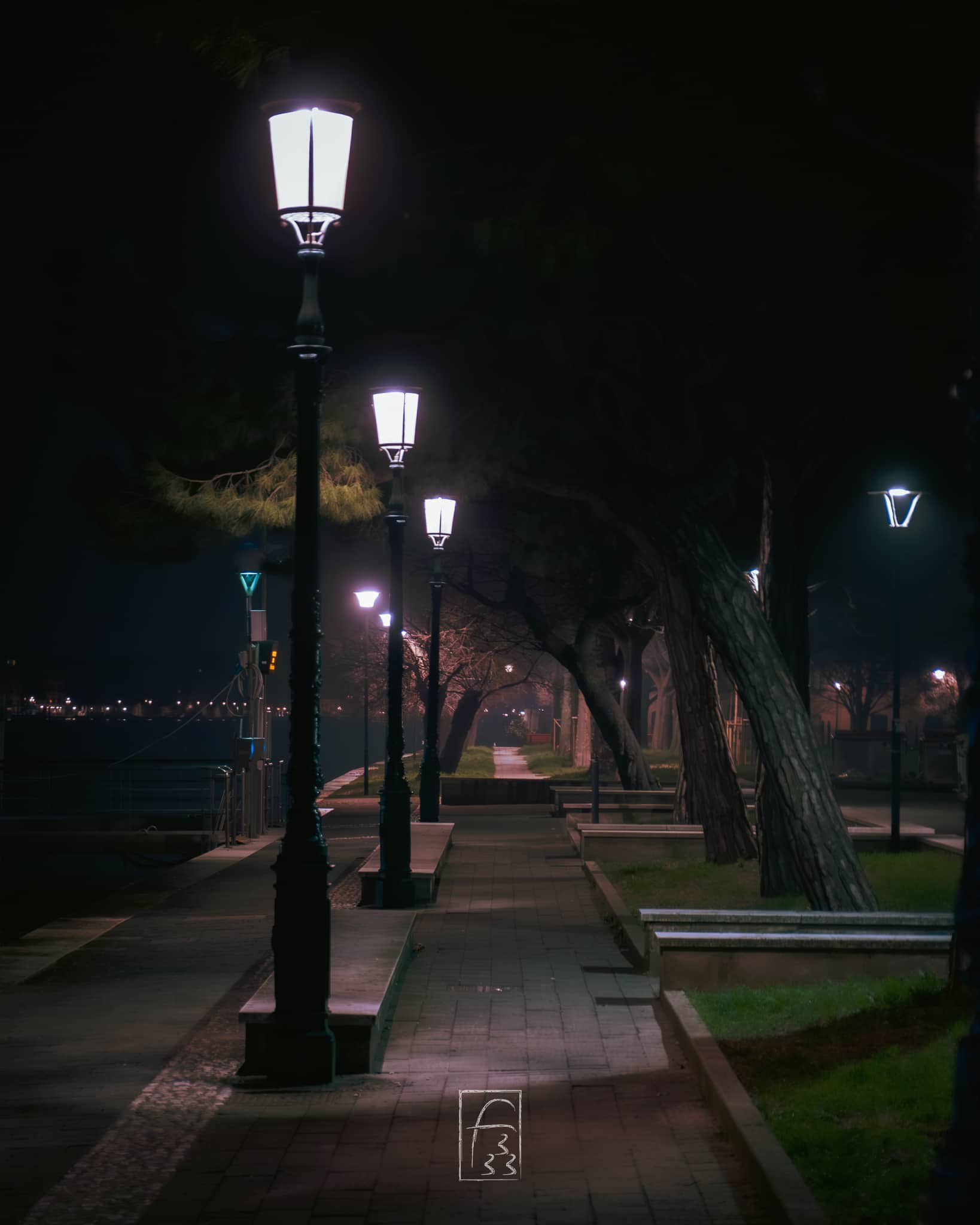
Some time ago I decide to make a photo exhibition in my city and, before doing it, I make some research of what I need to do. So I made the photo exhibition with some errors here and there but I love it.1
So I find a lot of photographeres having a white or black framing of the pic2 so I do it while printing (read as the source file has not framing but he printed one has one) but I want to have the source file with a frame and some info about the pic. So I search the web for something usefull.
What I need and want
I have this pic and I want to add the frame and some text under the pic but inside the frame.
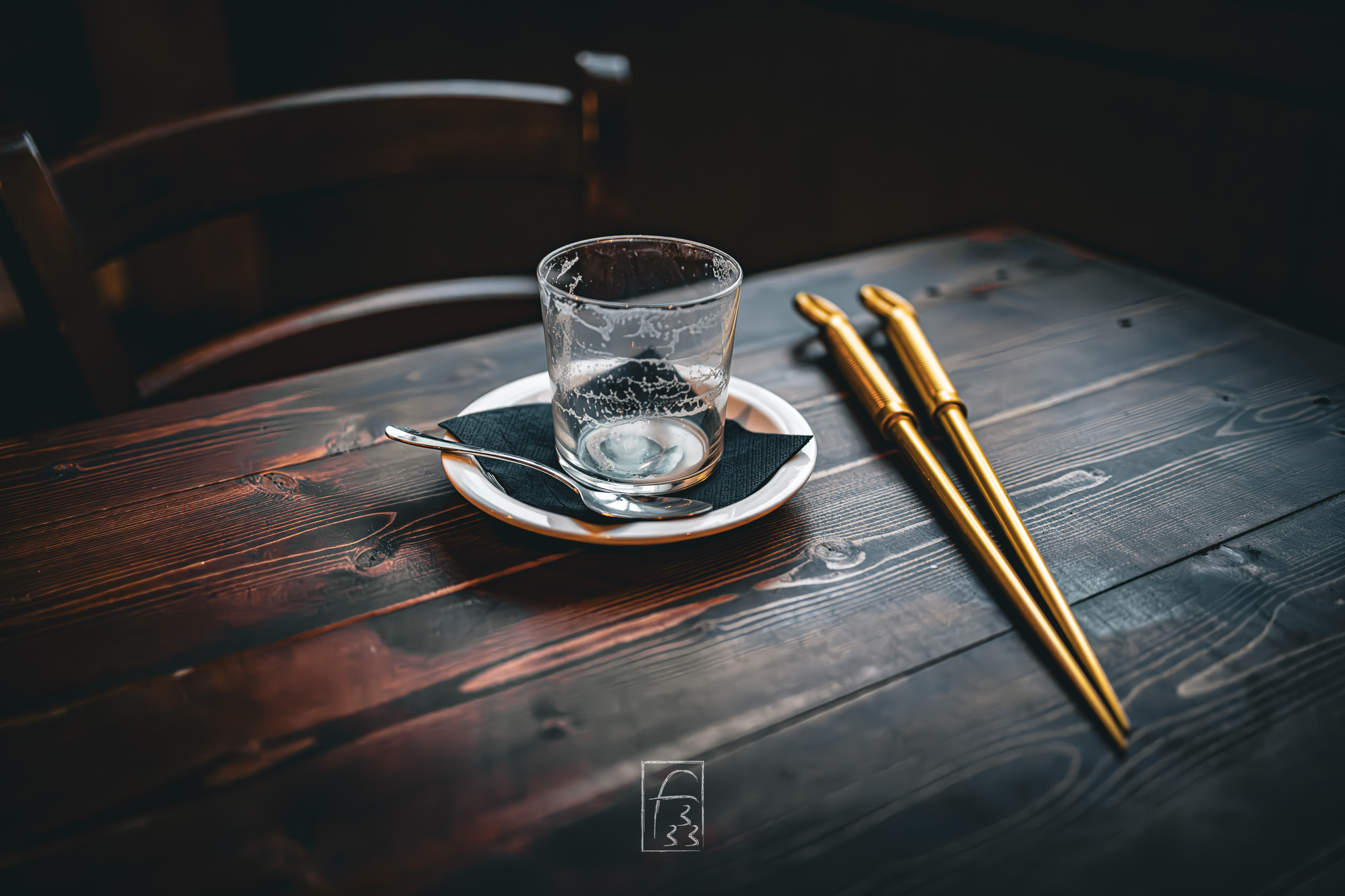
For a pic like this I want info inside the frame:
- Camera info (camera model and companyß I taked the pic)
- Lens info (lens model and company)
- Camera and lens settings (aperture, iso, framerate )
- Camera and Lens info need to be clear and not a string of serial code
- The text under the pic is easy to read and don’t take attention from the pic
- Must look professional
- I need to elaborate single picture but having also a directory mode is a good thing.
First solution: make yourself with Photoshop or similar
First thing I fount are tutorial for Photoshop or other tool for this result. I hate this solution and it isn’t batch ready. I also find this method slow and prone to make me angry or paranoic about errors.
Second solution: web page with a tool
After more searching I found some external tool . It generates a good framing for the pic but has something I didn’t like.
This is a online tool and I don’t like to upload the photos and has some limit/problem when you upload big or a lot photos at the same time. And this is not a problem for a single site but a limitation you need to have for all the free tools.
The best solution: coding
So in the end I wrote this little script:
- set the font and fit its size
- get the exif data (the lens, camera, …)
- add the frame
- add the text if present
- use click for having a interactive cli for getting the input needed
with this packages as dipendency
pip install pillow piexif clickand the final code is this
import os
import sys
from PIL import Image, ImageDraw, ImageFont
import piexif
import click

FONT_DIR = os.path.join(os.path.dirname(os.path.abspath(__file__)), "fonts")
BUNDLED_FONT = os.path.join(FONT_DIR, "Montserrat-Variable.ttf")


FALLBACK_FONTS = [
    "/System/Library/Fonts/Avenir Next.ttc",  # macOS
    "/System/Library/Fonts/HelveticaNeue.ttc",  # macOS
    "/usr/share/fonts/truetype/dejavu/DejaVuSans.ttf",  # Linux
    "/usr/share/fonts/truetype/liberation/LiberationSans-Regular.ttf",  # Linux
    "C:\\Windows\\Fonts\\segoeui.ttf",  # Windows
    "arial.ttf",
]


CAMERA_WEIGHT = 600
CONFIG_WEIGHT = 400
CONFIG_SIZE_RATIO = 0.85


def load_font(size, weight):
    """Load a font for the shot info, falling back to elegant alternatives."""
    try:
        font = ImageFont.truetype(BUNDLED_FONT, size)
        font.set_variation_by_axes([weight])
        return font
    except Exception:
        pass

    for path in FALLBACK_FONTS:
        try:
            return ImageFont.truetype(path, size)
        except (IOError, OSError):
            continue

    return ImageFont.load_default(size=size)


def fit_font(draw, text, size, weight, max_width, min_size=10):
    """Shrink the font size until the text fits within max_width."""
    font = load_font(size, weight)
    if not text:
        return font
    text_width = draw.textlength(text, font=font)
    if text_width <= max_width or size <= min_size:
        return font
    smaller_size = max(min_size, int(size * max_width / text_width))
    return load_font(smaller_size, weight)


def get_exif_data(image_path):
    """Extract the main EXIF shot data from the image."""
    exif_data = {
        "make": "",
        "model": "",
        "lens": "",
        "fstop": "",
        "shutter": "",
        "iso": "",
        "focal": "",
    }

    try:
        exif_dict = piexif.load(image_path)

        # Camera
        if "0th" in exif_dict:
            ifd0 = exif_dict["0th"]
            if piexif.ImageIFD.Make in ifd0:
                exif_data["make"] = (
                    ifd0[piexif.ImageIFD.Make].decode("utf-8", errors="ignore").strip()
                )
            if piexif.ImageIFD.Model in ifd0:
                exif_data["model"] = (
                    ifd0[piexif.ImageIFD.Model].decode("utf-8", errors="ignore").strip()
                )

        if "Exif" in exif_dict:
            exif = exif_dict["Exif"]
            # Lens
            if piexif.ExifIFD.LensModel in exif:
                exif_data["lens"] = (
                    exif[piexif.ExifIFD.LensModel]
                    .decode("utf-8", errors="ignore")
                    .strip()
                )

            # Aperture (F-Number)
            if piexif.ExifIFD.FNumber in exif:
                fnum = exif[piexif.ExifIFD.FNumber]
                if isinstance(fnum, tuple) and fnum[1] != 0:
                    exif_data["fstop"] = f"f/{fnum[0] / fnum[1]:.1f}"

            # Shutter Speed
            if piexif.ExifIFD.ExposureTime in exif:
                exp = exif[piexif.ExifIFD.ExposureTime]
                if isinstance(exp, tuple) and exp[1] != 0:
                    if exp[0] >= exp[1]:
                        exif_data["shutter"] = f"{int(exp[0] / exp[1])}s"
                    else:
                        exif_data["shutter"] = f"{exp[0]}/{exp[1]}s"

            # ISO
            if piexif.ExifIFD.ISOSpeedRatings in exif:
                exif_data["iso"] = f"ISO {exif[piexif.ExifIFD.ISOSpeedRatings]}"

            # Focal Length
            if piexif.ExifIFD.FocalLength in exif:
                focal = exif[piexif.ExifIFD.FocalLength]
                if isinstance(focal, tuple) and focal[1] != 0:
                    exif_data["focal"] = f"{int(focal[0] / focal[1])}mm"

    except Exception:
        # Silent if there is no EXIF data, fields remain empty
        pass

    return exif_data


def build_camera_label(make, model):
    """Combine make and model while avoiding duplication (e.g. 'Canon EOS R5')."""
    make = make.strip()
    model = model.strip()
    if not model:
        return make
    if not make or model.lower().startswith(make.lower()):
        return model
    return f"{make} {model}"


def process_single_image(image_path, output_path, border_size_pct, bottom_border_pct):
    """Add the white border and EXIF data to a single image.

    Returns "ok", "skipped" (no EXIF data) or "error".
    """
    try:
        img = Image.open(image_path)
        if img.mode != "RGB":
            img = img.convert("RGB")
    except Exception as e:
        click.echo(f"Error opening {image_path}: {e}", err=True)
        return "error"

    exif = get_exif_data(image_path)
    if not any(exif.values()):
        click.echo(f"No EXIF data found, skipping: {image_path}")
        return "skipped"

    width, height = img.size

    # Compute border size in pixels
    border_px = int(min(width, height) * border_size_pct)
    bottom_px = int(min(width, height) * bottom_border_pct)

    # New overall dimensions
    new_width = width + (border_px * 2)
    new_height = height + border_px + bottom_px

    # Create the white canvas
    canvas = Image.new("RGB", (new_width, new_height), "white")
    canvas.paste(img, (border_px, border_px))

    # Build the text strings: make/model (+ lens) on the left, config on the right
    camera_parts = [build_camera_label(exif["make"], exif["model"]), exif["lens"]]
    camera_text = " - ".join(p for p in camera_parts if p)

    config_parts = [exif["focal"], exif["fstop"], exif["shutter"], exif["iso"]]
    config_text = " - ".join(p for p in config_parts if p)

    draw = ImageDraw.Draw(canvas)
    font_size = max(1, int(bottom_px * 0.32))
    config_size = max(1, int(font_size * CONFIG_SIZE_RATIO))
    available_width = new_width - 2 * border_px
    gap = int(bottom_px * 0.2)

    camera_font = load_font(font_size, CAMERA_WEIGHT)
    config_font = load_font(config_size, CONFIG_WEIGHT)
    camera_w = draw.textlength(camera_text, font=camera_font) if camera_text else 0
    config_w = draw.textlength(config_text, font=config_font) if config_text else 0

    x_left = border_px
    x_right = new_width - border_px

    if camera_text and config_text and camera_w + gap + config_w > available_width:
        # Don't fit side by side: stack them on two lines to avoid overlap
        camera_font = fit_font(
            draw, camera_text, font_size, CAMERA_WEIGHT, available_width
        )
        config_font = fit_font(
            draw, config_text, config_size, CONFIG_WEIGHT, available_width
        )
        y_top = height + border_px + int(bottom_px * 0.35)
        y_bottom = height + border_px + int(bottom_px * 0.7)
        draw.text(
            (x_left, y_top),
            camera_text,
            fill=(30, 30, 30),
            font=camera_font,
            anchor="lm",
        )
        draw.text(
            (x_left, y_bottom),
            config_text,
            fill=(100, 100, 100),
            font=config_font,
            anchor="lm",
        )
    else:
        y_center = height + border_px + bottom_px // 2
        if camera_text:
            draw.text(
                (x_left, y_center),
                camera_text,
                fill=(30, 30, 30),
                font=camera_font,
                anchor="lm",
            )
        if config_text:
            draw.text(
                (x_right, y_center),
                config_text,
                fill=(100, 100, 100),
                font=config_font,
                anchor="rm",
            )

    # Save the result
    canvas.save(output_path, "JPEG", quality=95)
    return "ok"


@click.command()
@click.argument(
    "path", type=click.Path(exists=True, file_okay=True, dir_okay=True, readable=True)
)
@click.option(
    "--output",
    "-o",
    type=click.Path(),
    help="Destination file or folder. If omitted, creates an 'output' folder.",
)
@click.option(
    "--border",
    "-b",
    default=0.05,
    type=float,
    help="Side/top border thickness as a percentage (e.g. 0.05 = 5%).",
)
@click.option(
    "--bottom",
    "-bt",
    default=0.12,
    type=float,
    help="Bottom border thickness for the text as a percentage (e.g. 0.12 = 12%).",
)
def main(path, output, border, bottom):
    """Add white borders and EXIF info to your photos.

    PATH can be the path to a single image file or a folder.
    Images with no EXIF data are skipped (no border added).
    """
    extensions = (".jpg", ".jpeg", ".png", ".tiff", ".webp")

    # Handle a single FILE input
    if os.path.isfile(path):
        if not path.lower().endswith(extensions):
            click.echo("The given file is not a supported image.", err=True)
            sys.exit(1)

        if not output:
            dirname, filename = os.path.split(path)
            output = os.path.join(dirname, f"bordered_{filename}")
        elif os.path.isdir(output):
            output = os.path.join(output, os.path.basename(path))

        click.echo(f"Processing file: {path}")
        result = process_single_image(path, output, border, bottom)
        if result == "ok":
            click.echo(f"Saved successfully to: {output}")

    # Handle a FOLDER input
    elif os.path.isdir(path):
        if not output:
            output = os.path.join(path, "output_bordered")

        os.makedirs(output, exist_ok=True)

        # List all valid files in the folder
        files = [f for f in os.listdir(path) if f.lower().endswith(extensions)]

        if not files:
            click.echo("No valid images found in the folder.")
            sys.exit(0)

        click.echo(
            f"Found {len(files)} images in the folder. Starting processing..."
        )

        skipped = 0
        errors = 0
        with click.progressbar(files, label="Progress") as bar:
            for file_name in bar:
                input_file_path = os.path.join(path, file_name)
                output_file_path = os.path.join(output, file_name)
                result = process_single_image(
                    input_file_path, output_file_path, border, bottom
                )
                if result == "skipped":
                    skipped += 1
                elif result == "error":
                    errors += 1

        click.echo(f"All images have been saved to the folder: {output}")
        if skipped:
            click.echo(f"{skipped} images skipped (no EXIF data).")
        if errors:
            click.echo(f"{errors} images failed to process due to errors.", err=True)


if __name__ == "__main__":
    main()
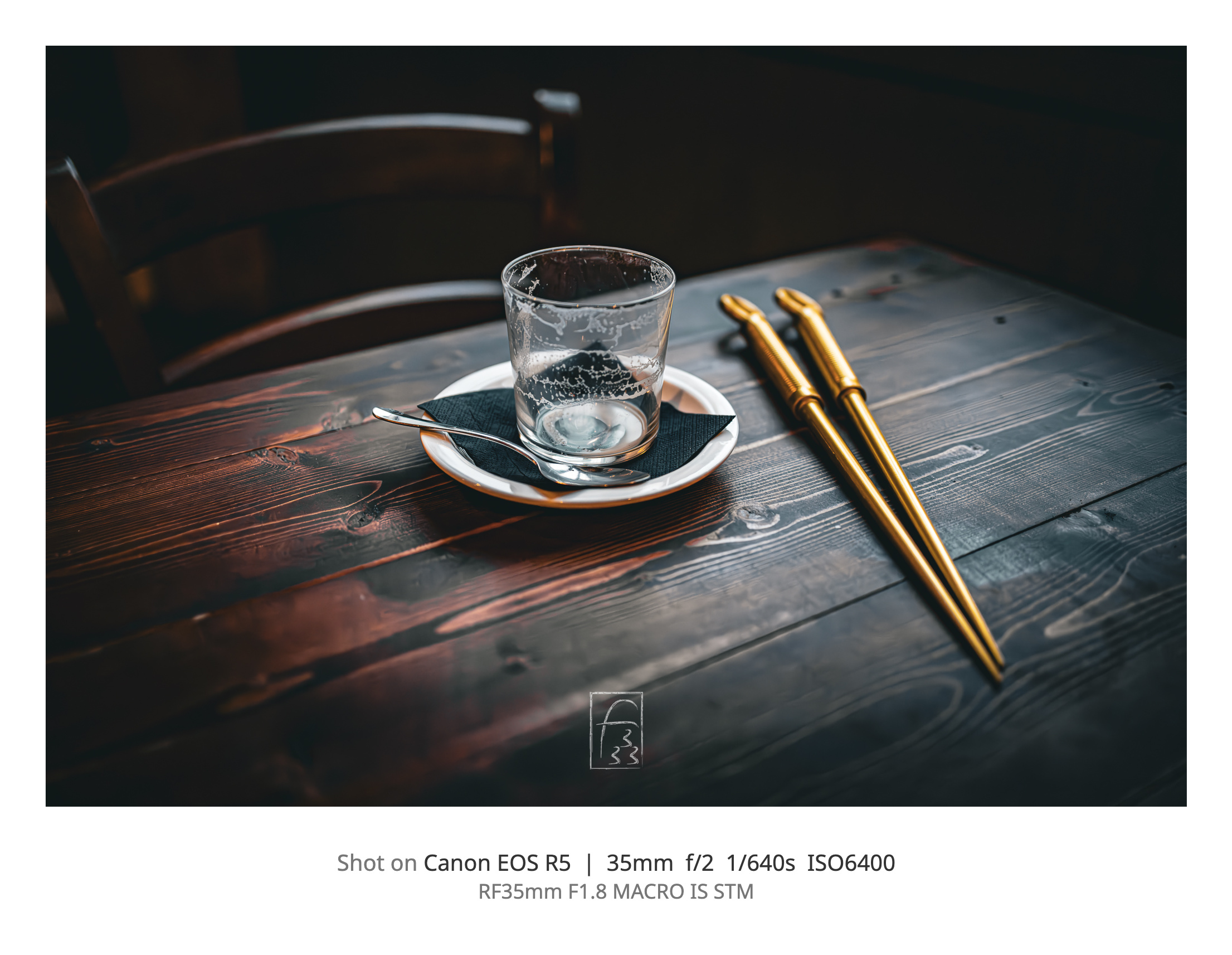
And this is the script output from the example pic.
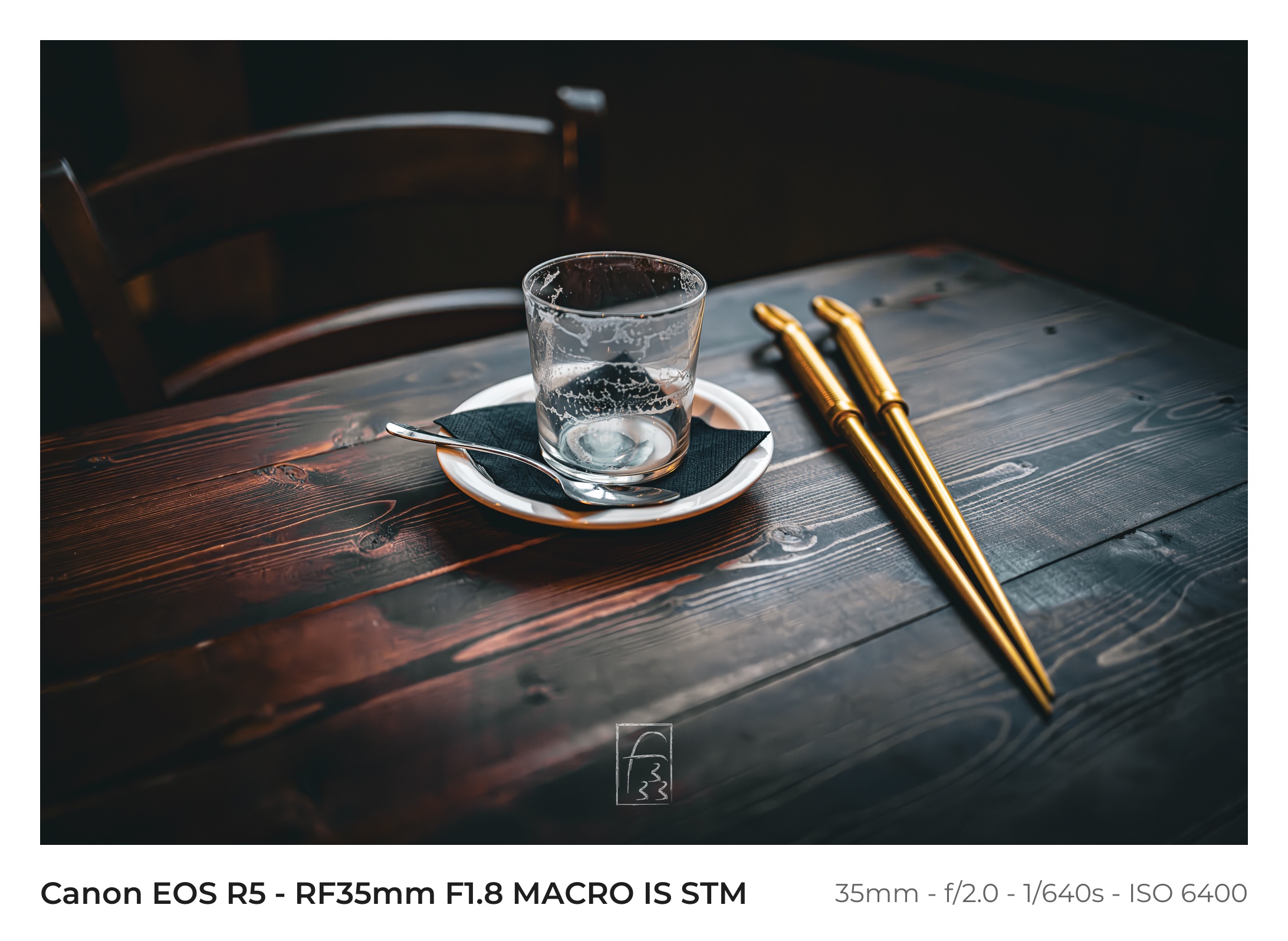
I will change something because I not full ok with how the text is print on the frame (font size etc…) but this is the best I have in this moment.
Written by a human
Reference this post
Please reference this post with a link to this page. I prefer to be called Fundor333 (he/him) or Fundor333' Blog.
Comments
Reply with a Webmention or a reply on the Fediverse.
With an account on the Fediverse or Mastodon you can reply to the original post.